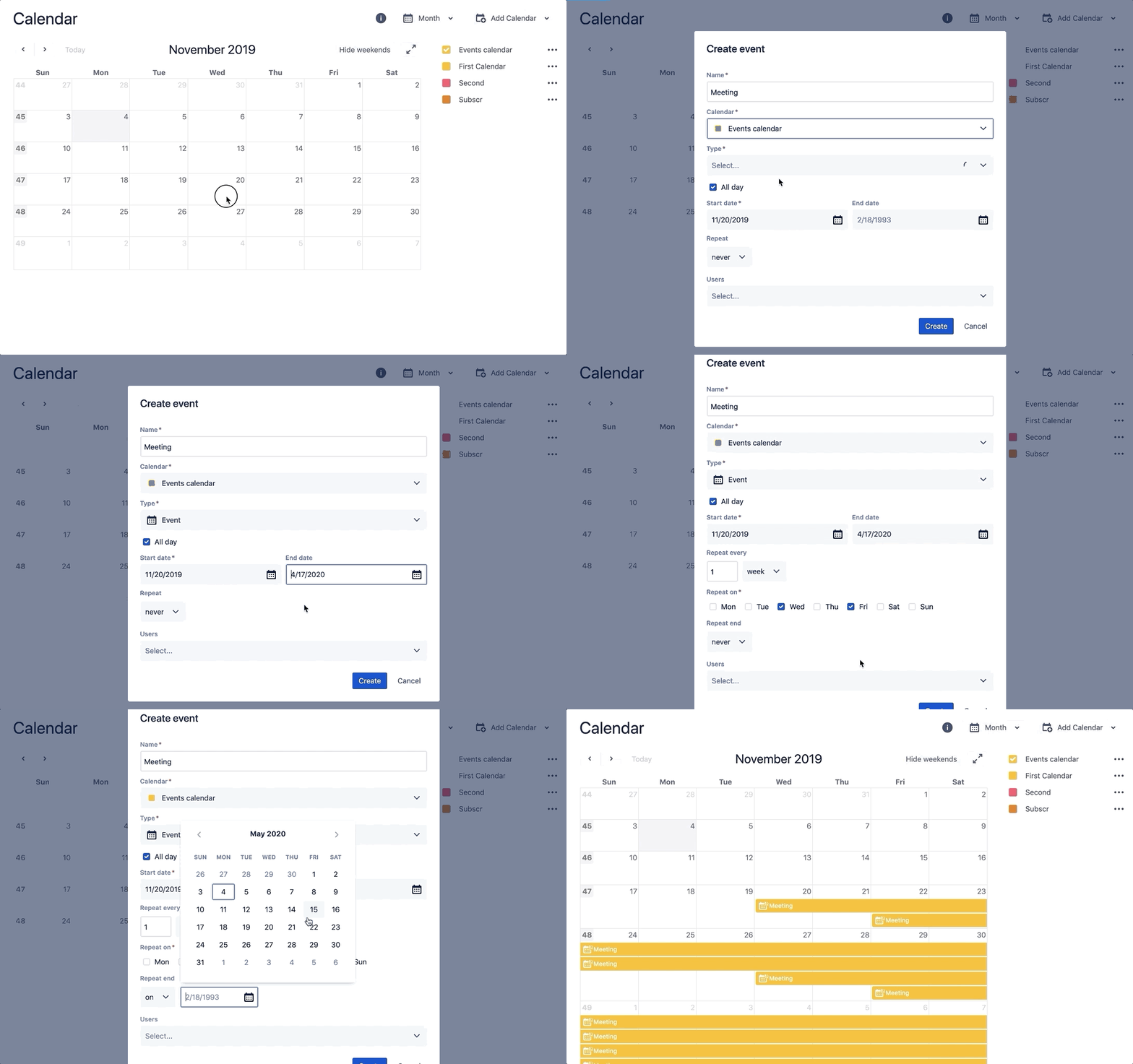
It makes it easy to repeat events on a daily, weekly, monthly, yearly… or even a custom schedule.
Add recurrent events
For example, you can schedule a recurring meeting with a team or set a reminder for equipment maintenance.
-
Choose Add Event or Double-click on the Calendar view
-
Type the name of your Event will be used when displayed in calendar
-
Select the calendar on which the event will be created
-
Select the type of event you'd like to add from the Type drop-down
-
Specify the start and end dates for your event.
-
Choose the option to select how often to repeat your event often from the available ones.
-
Choose an option when the repetition of your event is completed, or leave the event endless. Note after this date, the event will no longer be generated.
-
Select users who participate in the event
-
Click Create