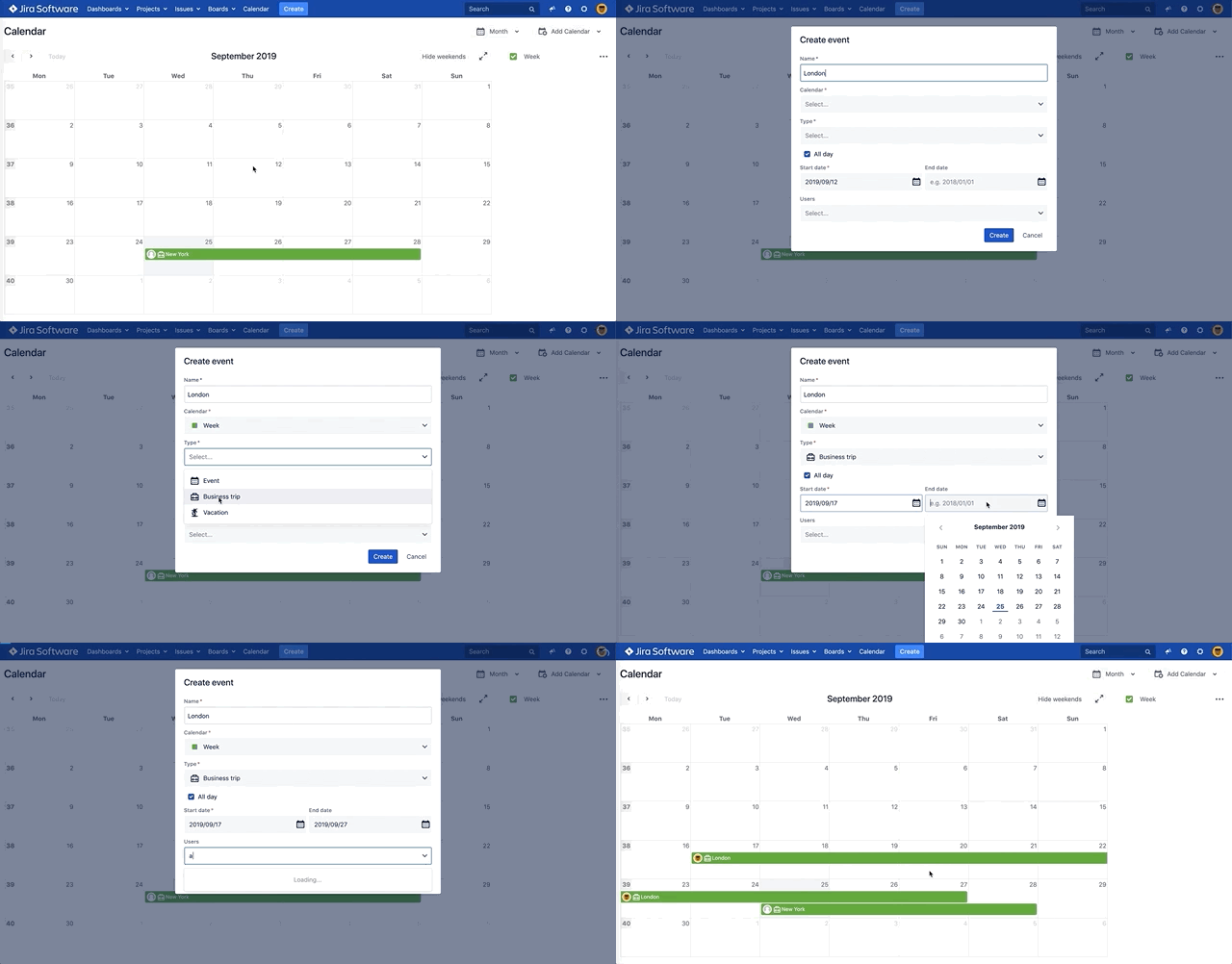
Add Events
You can quickly add events to your calendars and categorize them into different event types for easier viewing and management
-
Choose Add Event or Double-click on the Calendar view
-
Type the name of your Event will be used when displayed in calendar
-
Select the calendar on which the event will be created
-
Select the type of event you'd like to add from the Type drop-down
-
Specify the start and end dates for your event.
-
Select users who participate in the event
-
Click Create