

Export Jira Calendar to Google Calendar, Apple Calendar, Outlook, etc
Most often we were asked to export calendar items to mobile devices, as well as to third-party applications, such as: microsoft outlook, apple calendar, google calendar. Finally, this functionality is available on all Cloud versions of the Doitbetter Calendar. A few simple steps to enable this feature for your users:
-
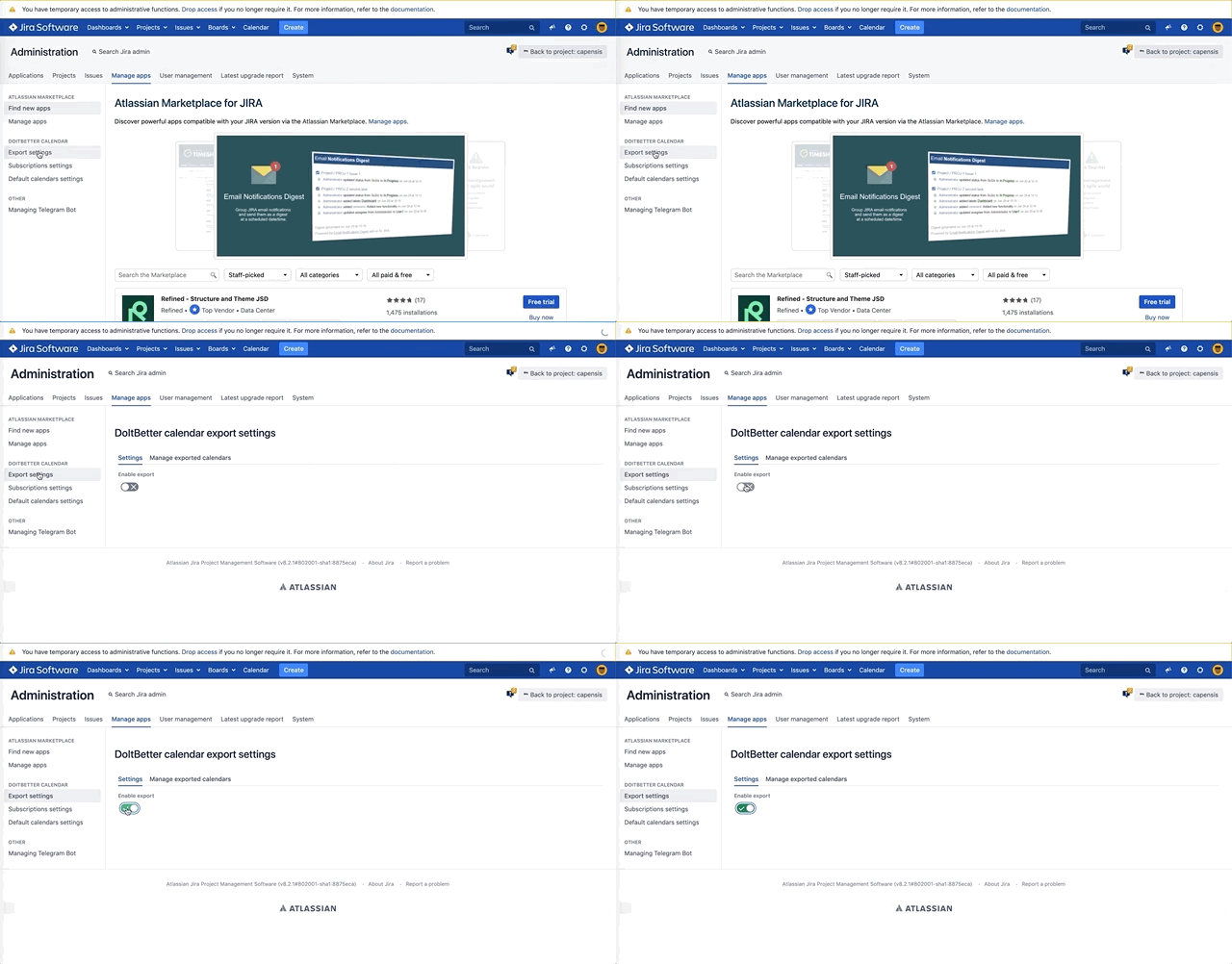
Follow this link: https://BASEURL/plugins/servlet/ac/doitbetter.calendar/export-settings (Where BASEURL is the domain name of your Jira)
-
Enable the ability to export calendars for your Jira.
-
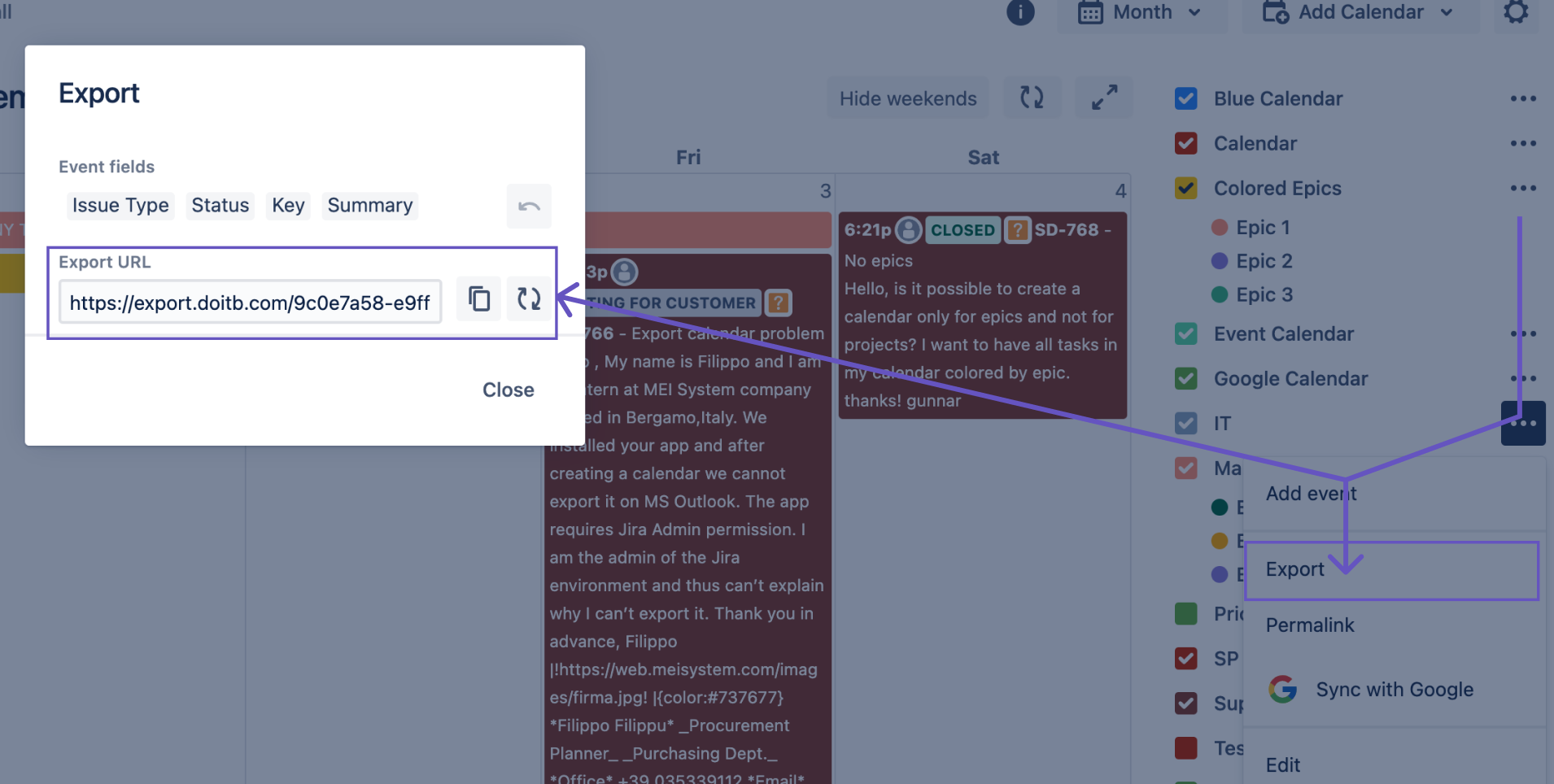
The "export" button appears in the top item of your calendar details. As a result, a unique link to the calendar export for the current user should be generated.
-
Import Doitbetter Calendar into some calendars:
Google Calendar - https://support.google.com/calendar/answer/37100
Apple Calendar - https://support.apple.com/guide/calendar/import-or-export-calendars-icl1023/mac
Microsoft Outlook - https://support.office.com/en-us/article/import-or-subs