

Overview
Export calendars from Jira with advanced features designed to meet diverse use cases, such as sharing, embedding, and automating workflows. This guide provides a unified explanation of all export options available in Calendar for Jira.
Key Features
-
Multiple Export Formats
-
ICS Feed: Standard export format compatible with Google Calendar, Outlook, and more. Includes a Compatibility Mode for Atlassian Team Calendars.
-
JSON Feed: Provides programmatic access to calendar data, ideal for developers integrating Jira calendars into custom dashboards or workflows. Use proper methods to handle external access due to CORS restrictions.
-
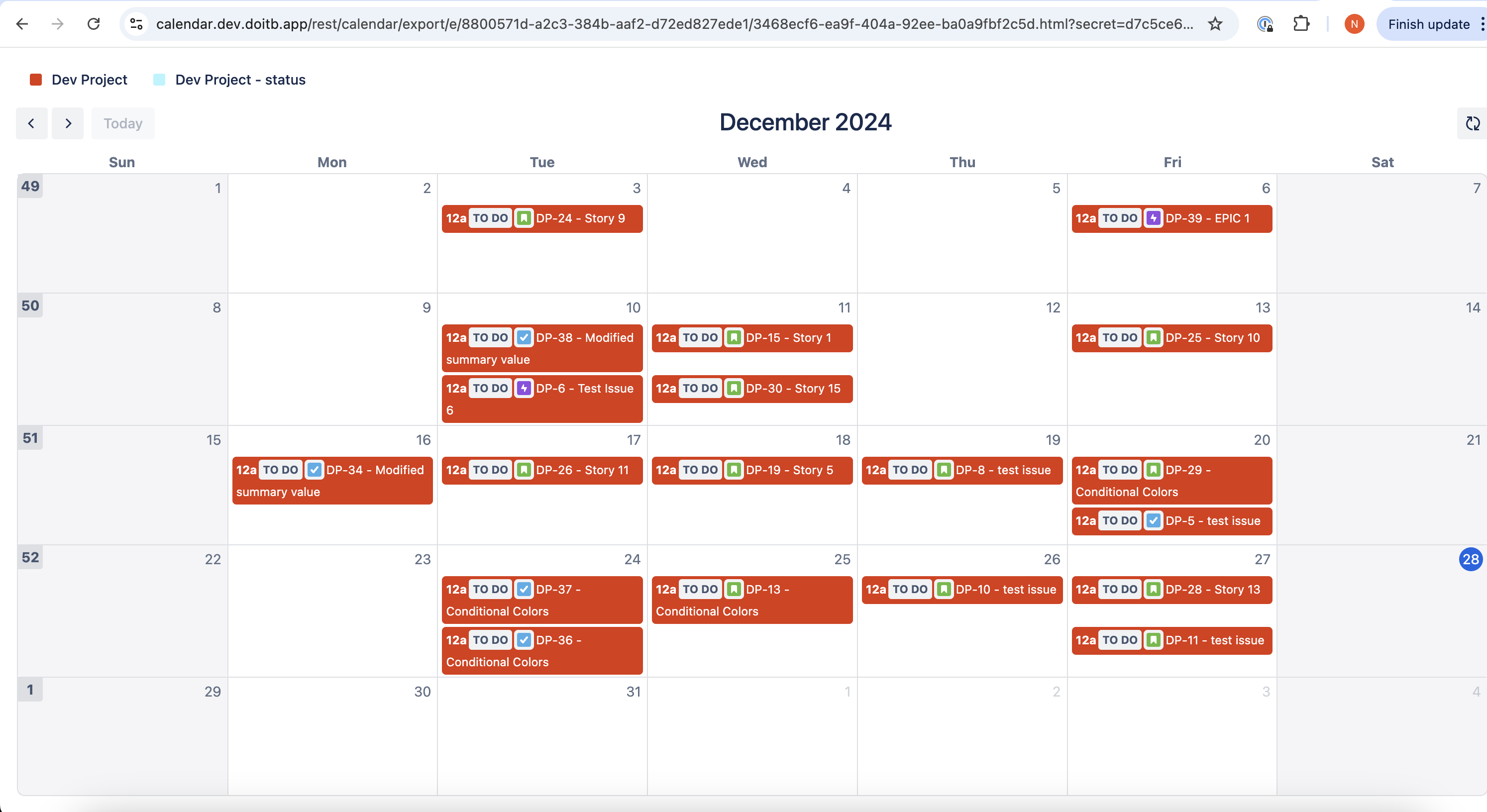
Embed URL: Share a public monthly calendar view accessible without authentication.
-
-
Security and Customization
-
Customize fields to include (e.g., Status, Summary) while ensuring sensitive data is excluded.
-
Audit logs for administrators to monitor export activity.
-
-
Enhanced ICS Compatibility
-
Improved format for seamless integration with Atlassian Team Calendars, especially for events without end dates.
-
Setting Up the Export
Global Settings
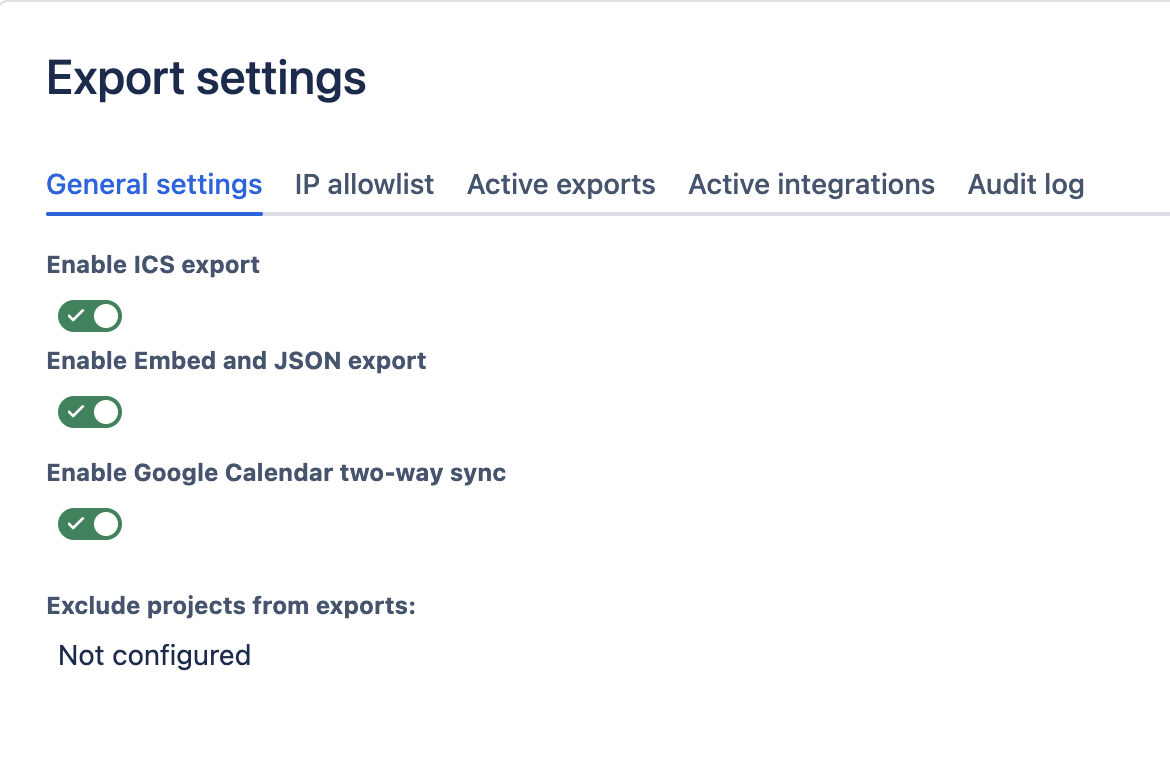
Administrators can enable export functionality for the instance.
-
Navigate to Settings → Manage apps → DoItBetter Calendar → Export Settings.
-
Enable the desired formats:
-
ICS
-
Embed and JSON Export
-
-
Optionally exclude specific projects from export.
Configuring a Specific Calendar
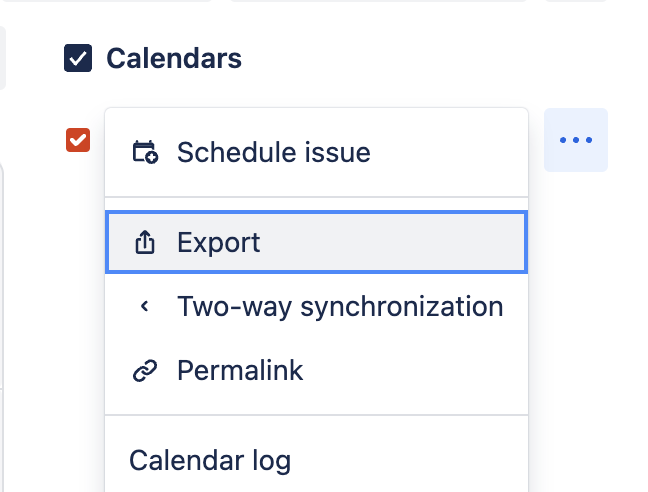
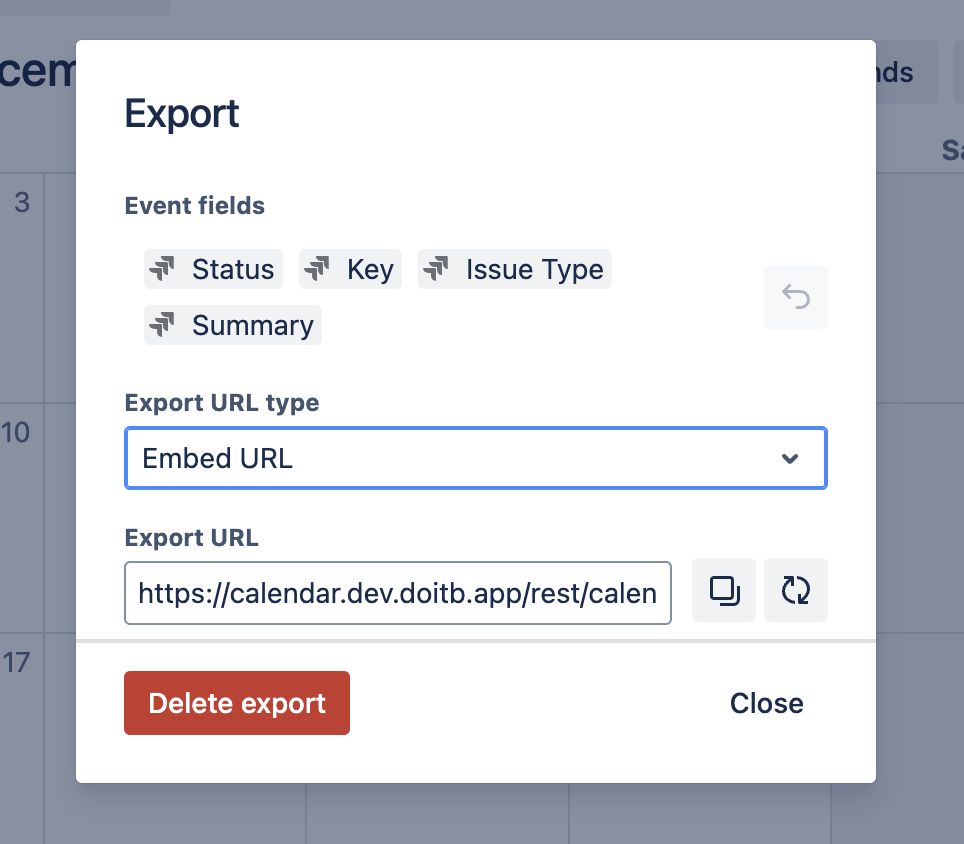
-
Open the calendar and select Export.
-
Choose fields (e.g., Status, Key, Summary) and the desired export format:
-
ICS, JSON, or Embedded Calendar.
-
-
Copy the generated export URL.
JSON Export
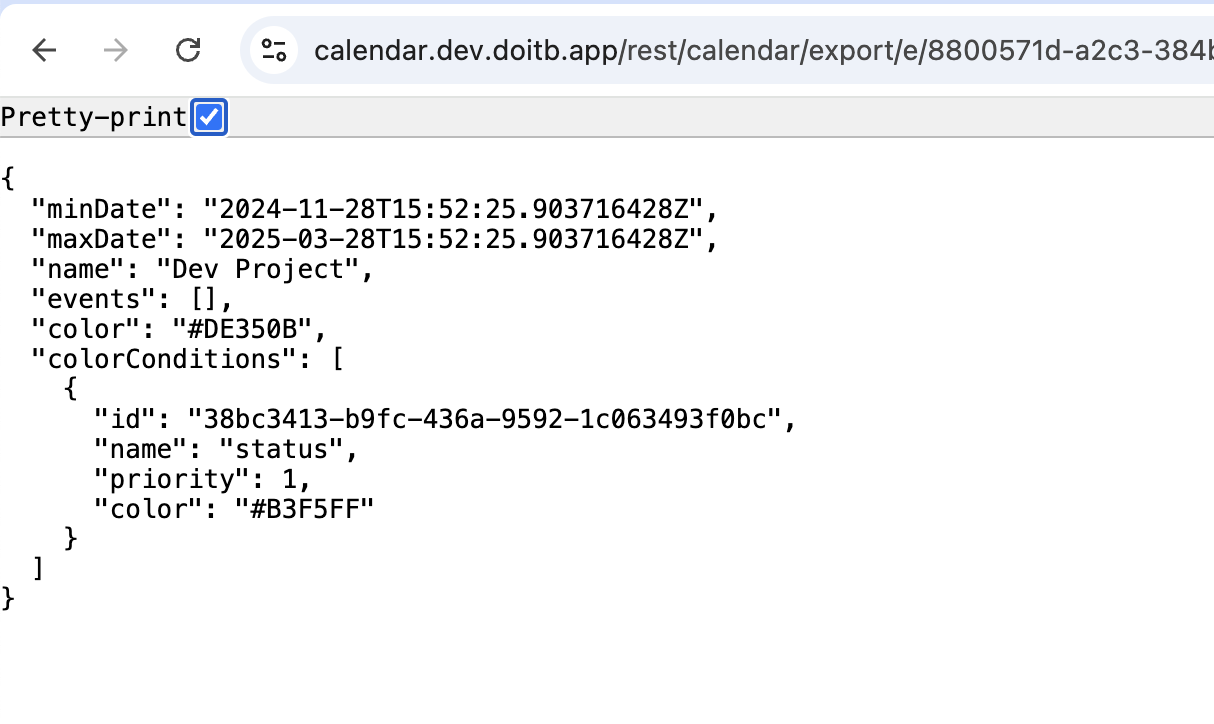
-
Since CORS is disabled in our configuration, JSON feeds cannot be accessed directly from external domains. Ensure proper integration methods are in place for external usage.
-
Example fields include:
-
Event name
-
Start/End dates
-
Summary
-
Embedded Calendar
-
Publicly accessible monthly view.
-
Customize fields to balance visibility with security.
URL Parameters
You can customize the embedded calendar view by adding parameters to the embed URL:
|
Parameter |
Description |
Example |
|---|---|---|
|
view |
Calendar view type (default: month |
&view=agendaList |
|
timeZone |
Time zone for displaying events |
&timeZone=America/New_Yor |
|
locale |
Locale for date/time formatting |
&locale=en-US |
Supported view options:
-
month — Monthly calendar view (default)
-
basicWeek — Weekly view without time slots
-
agendaWeek — Weekly view with time slots
-
agendaDay — Daily view with time slots
-
listDay — Daily list view
-
agendaList — Agenda/list view
-
timelineMonth — Timeline view for the month
ICS Compatibility Mode
-
Optimized for Atlassian Team Calendars.
-
Handles events without end dates.
-
Fully backward-compatible with existing ICS export workflows.
Security Recommendations
-
Regularly review active exports in the audit log.
-
Restrict sensitive fields when configuring exports.
-
Ensure JSON and Embedded Calendars only share non-sensitive data.
Use Cases
-
ICS Export: Sync Jira schedules with personal calendars like Google or Outlook.
-
JSON Export: Build integrations or custom reports using calendar data.
-
Embedded Calendar: Publish team schedules or timelines on public platforms.
FAQ
Q: Can I disable exports for specific projects?
A: Yes, administrators can exclude projects in global settings.
Q: Is the Embedded Calendar secure?
A: Embedded Calendars are public. Avoid including sensitive information.
Q: How do I enable ICS Compatibility Mode?
A: This mode is automatically applied when exporting ICS for Atlassian Team Calendars.
Support
For questions or assistance, contact support@doitb.com.