Please note that each Jira user is limited to synchronizing a maximum of five (5) calendars. For any questions or assistance, please contact our support team support@doitb.com.
Syncable data includes:
|
from “Calendar for Jira” |
from “Google Calendar” |
|---|---|
|
Event Dates |
Event Dates |
|
Issue Dates (with info fields) |
Issue Dates |
|
New Events |
|
|
New Issues |
|
All events in the synchronized google calendar will be created only from Jira; any new events added directly to the google calendar will be ignored.
How to enable Google Calendar sync for your Cloud Jira Instance?
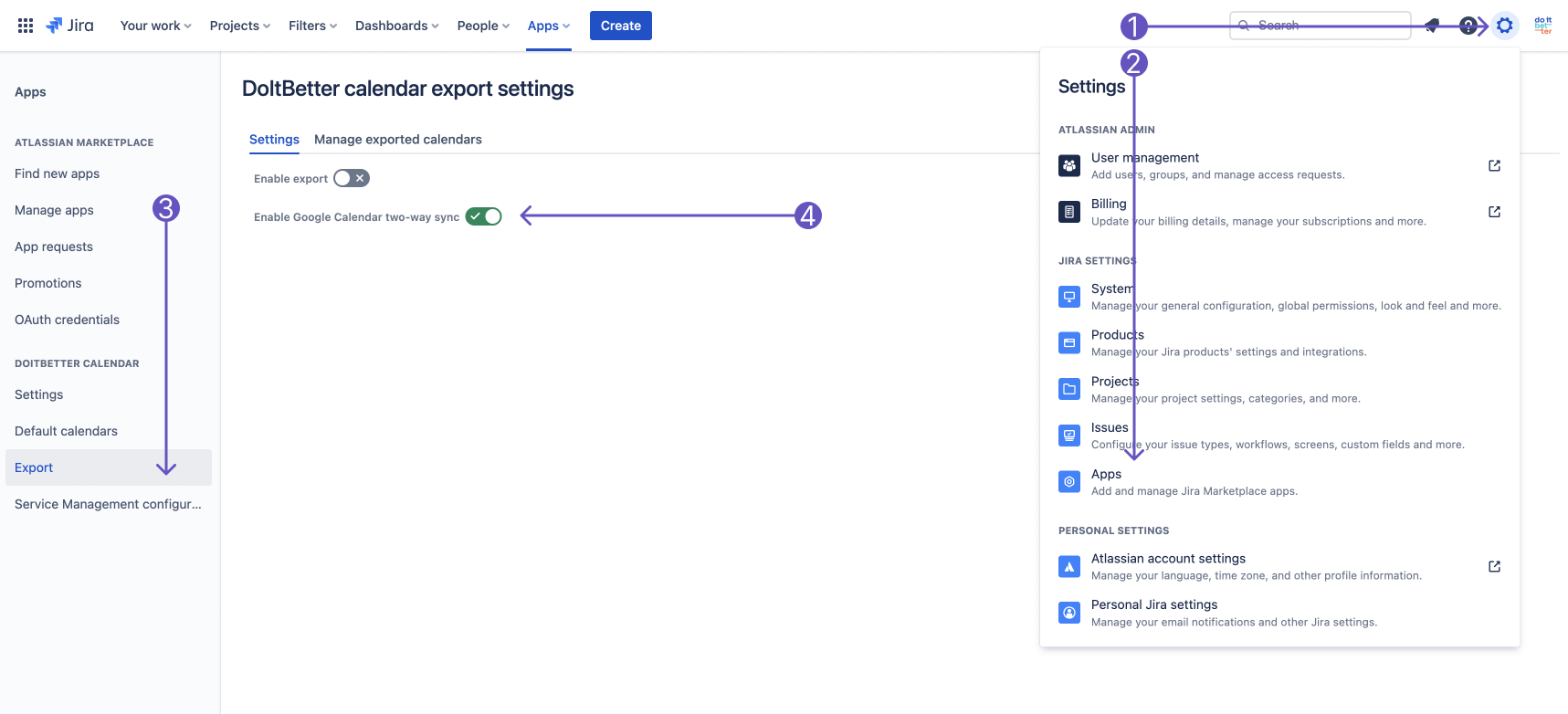
Make sure that you have jira-administrator privileges.
-
Go to Settings->Apps->DOITBETTER CALENDAR->Export
-
Enable Google Calendar two-way sync toggle.
How to set up calendar synchronization with Google Calendar?
Let's start setting up synchronization. This happens in a couple of stages.
-
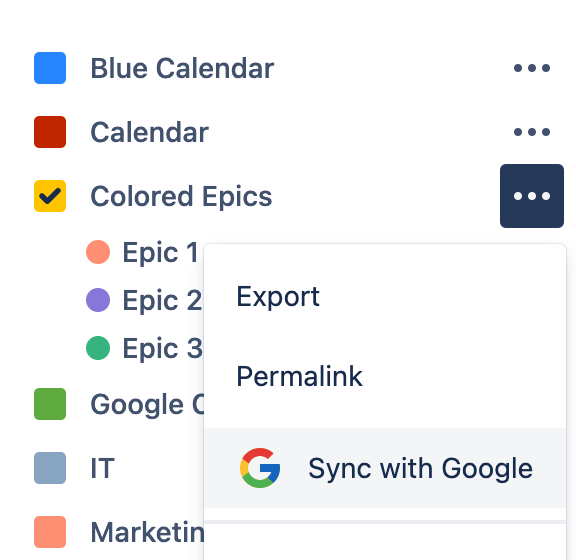
Select the calendar you want to sync.
-
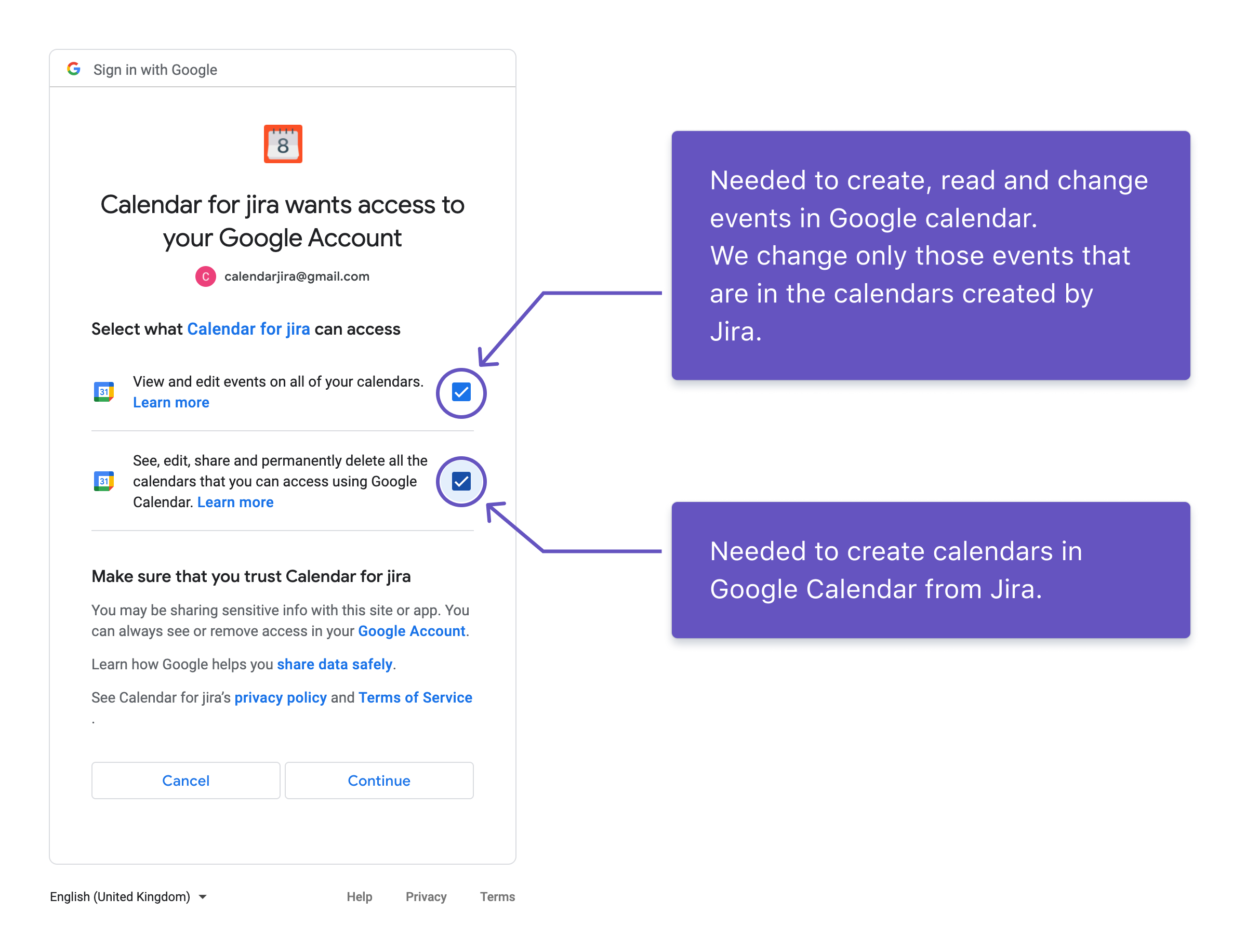
Check the required rights to manage your Google account.
-
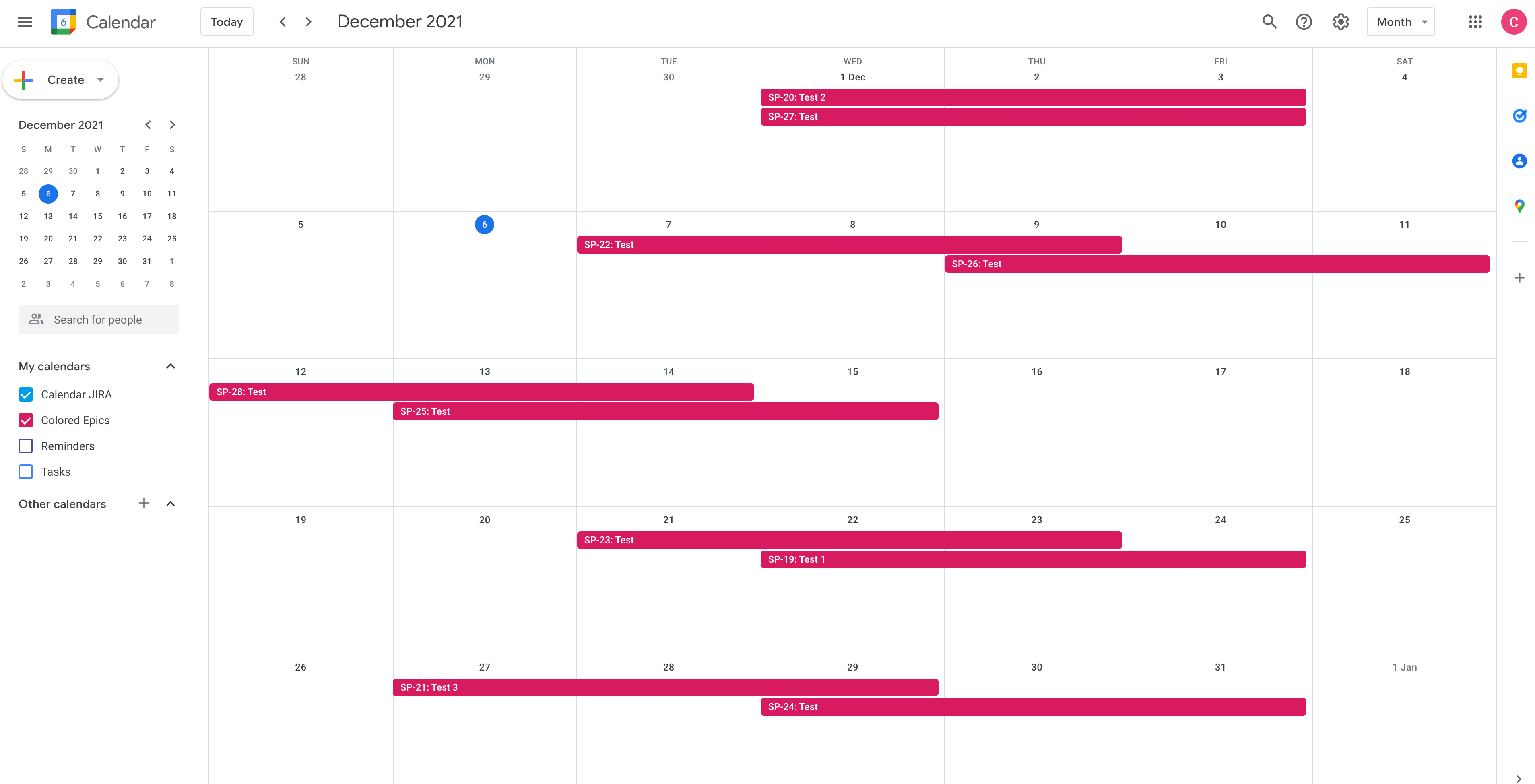
Wait 30 seconds for your Jira data to appear in Google Calendar.
How to stop syncing with Google Calendar?
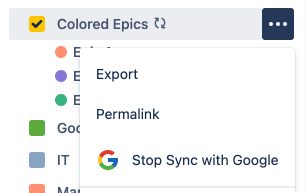
Select a calendar and click on the button “Stop Sync with Google"